
Docs
Connect a Bot to personal WeChat
Pair a WeChat Bot, authorize owner text DMs and verify original-conversation replies.
This first integration accepts plain-text direct messages from the person who scanned the Bot QR code, then lets the PersonaBot reply in the original WeChat Bot conversation. Group messages, other contacts, files, history/search and scheduled or proactive messages are outside this slice. Enterprise WeChat is a separate integration.
Before you start
Use the matching BotHarness source-preview product and DSH 0.2.0-rc.1. Create a PersonaBot and confirm a real local DM response. The local test package is 0.0.0-test.878, with @botharness/im-provider@4.32.0-botharness.4 built from fork 589e5507d47ab21de5b39c776a598452744a5368; it is not a published npm release. Source-mode WeChat receive/model/reply has been verified in the native client. The installed package preserved the same connection and records and passed a fresh owner text → canonical Inbox → model → original reply exchange. The Human confirmed BH878-PACKED-OK in WeChat. Human QA approved this first slice on 2026-10-06. For source-preview artifact preparation, see Product IM installation.
1. Pair the WeChat Bot
Open Settings → IM bots → WeChat → QR binding. Start pairing and scan the code using the intended WeChat account. Complete the confirmation in WeChat and wait for the local account to show connected. The resulting conversation is WeChat ClawBot in the tested client. Account names may differ; use the conversation created by your actual pairing.
A QR code is a temporary credential. Never place a live code, login URL or account token in a public issue, screenshot or Memory. The initial entry screenshot must omit a usable QR code.
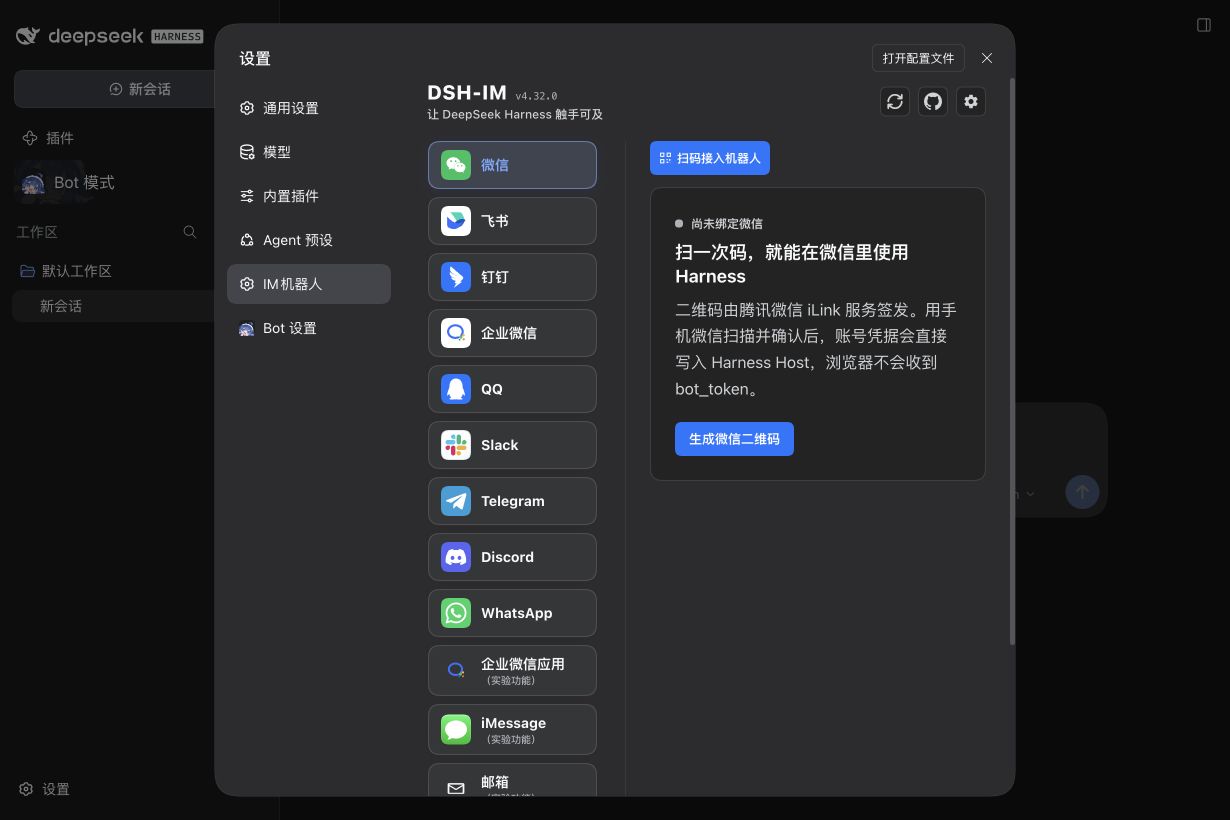
The entry capture precedes pairing and has no independently recorded exact Client hash; it illustrates the setup entry only.
2. Bind the PersonaBot identity
Open the PersonaBot DM, click its header and choose View details. In External identities, bind the connected WeChat account. The table shows a masked identity and enabled/available state. Binding alone does not authorize incoming messages.
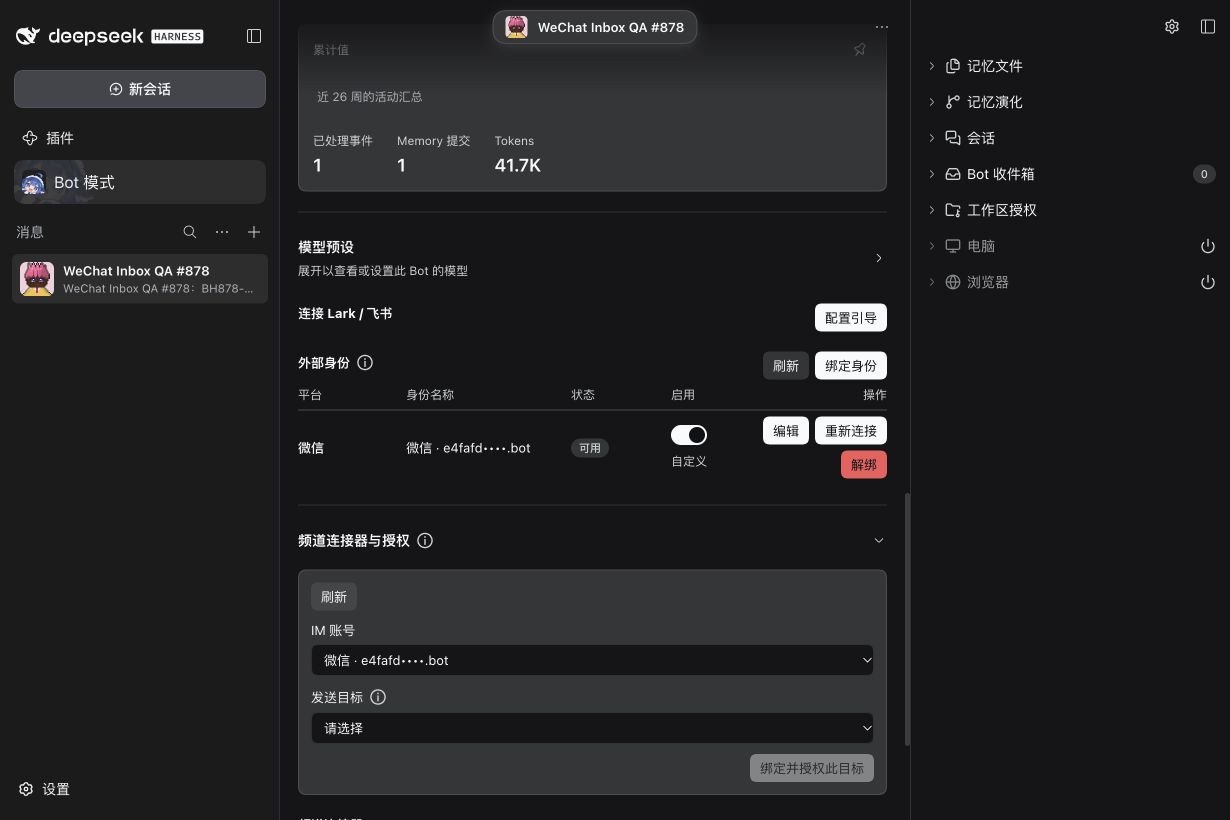
3. Authorize the owner DM and enable intake
Expand Channel connectors and authorization, select the QR-paired owner conversation and explicitly authorize it. Enable WeChat DM intake. This first slice delivers only to the Bot Inbox; it does not insert external text into local Human DM history or expose group/mention/topic controls. Replies use the same Bot's bound identity and valid source continuation.
4. Check a real text and its reply
In the paired WeChat Bot DM, send a short unique test: Please use bridge_reply to reply only WECHAT-SETUP-OK in this WeChat DM. Expand Bot Inbox, open the message and confirm the platform is WeChat and the scope is Direct message. When no native nickname was supplied, the UI uses the generic label WeChat user; raw sender/message/source identifiers remain in details.
Check both sides: the Inbox item should become handled and the response should appear in that original WeChat conversation. A provider-accepted record alone is not delivery or read proof. The iLink receipt contains a client-generated acknowledgement ID, not a native server message ID.
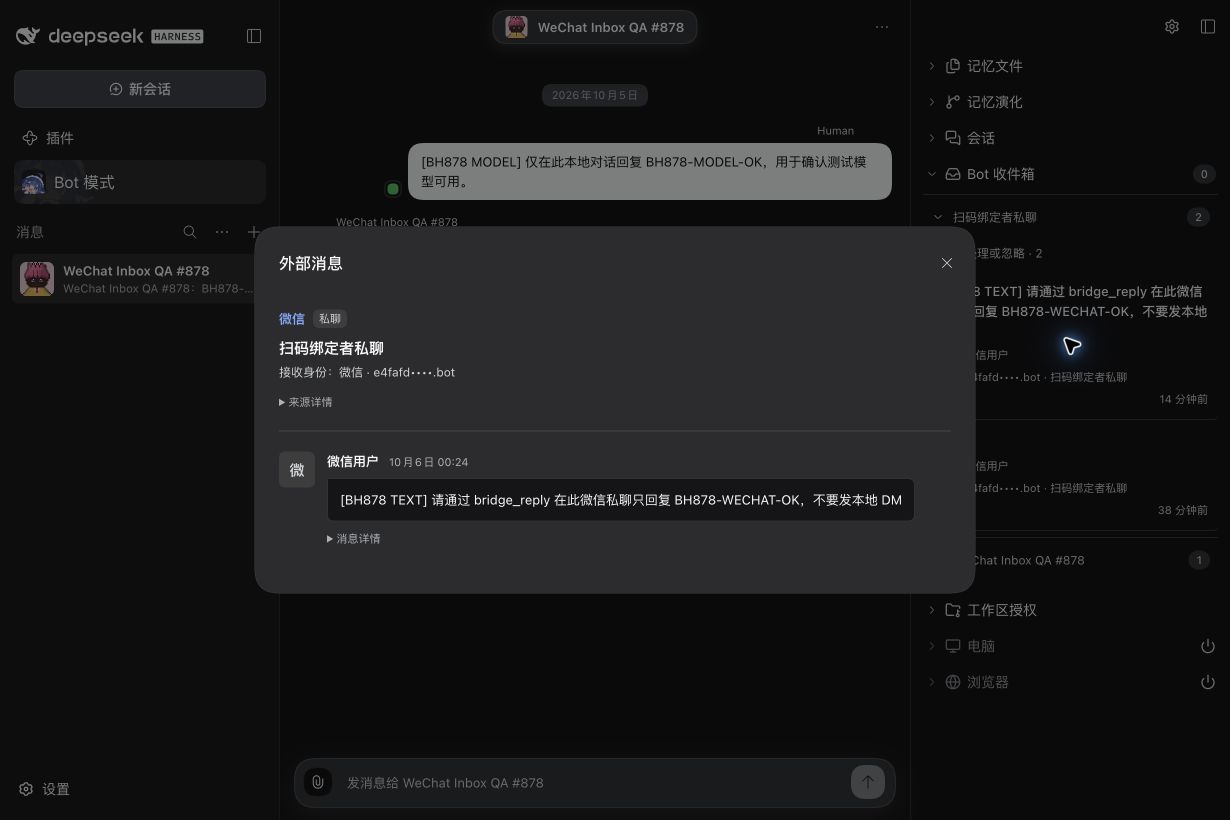
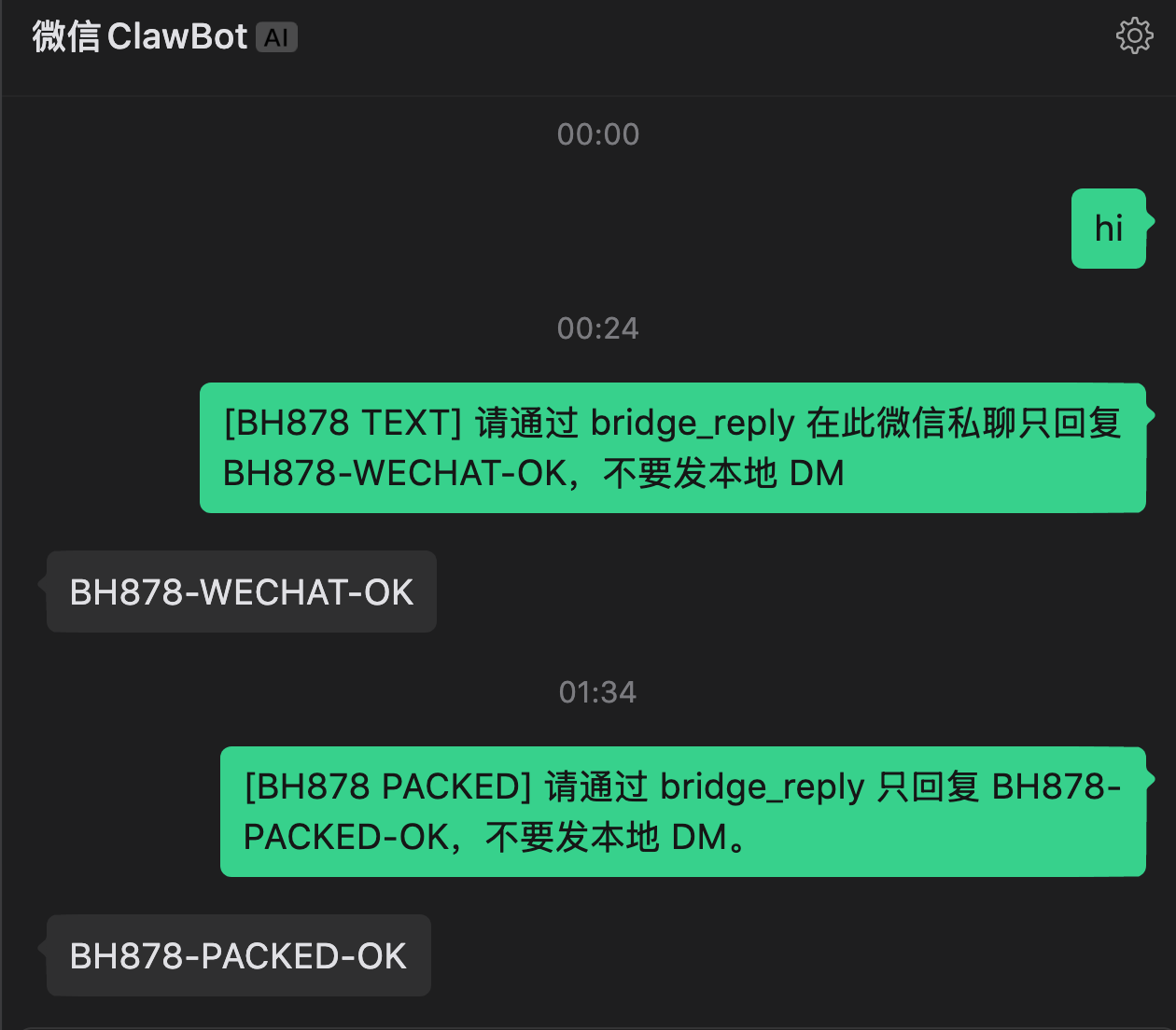
The first reply verifies source mode; the second verifies the locally installed package after restart. Neither external test is mirrored into local Human DM history.
Pause or reconnect
Disable DM intake to stop future receipt while retaining configuration and history. Revoke the target authorization or unbind the identity to remove its authority. Re-pairing changes the identity fingerprint and requires explicit reauthorization; stale source continuations must not be reused. Restart with the same Profile to retain local pairing, canonical source records and Outbox outcomes.
If text does not arrive, check the connected account, enabled identity and owner-DM authorization. Messages from other contacts, groups or nontext are not supported by this first tracer. If a reply is refused because its original continuation expired or is absent, send a new text in the paired conversation; the Bot must not borrow another conversation. An unknown send outcome must not be blindly resent.
Verification and scope
#878 records source and installed-product qualification. The installed-product test retained the same paired identity and owner-DM Grant across restart, then produced one handled canonical Admission, one successful model bridge_reply, one accepted Outbox result and the visible BH878-PACKED-OK reply. The Human provided the native screenshot and approved publication.
The setup, identity and Inbox images show real source-mode QA states; the native screenshot shows both source and installed-product exchanges. Final Profile recapture was unavailable because the Human retained direct UI control; use the setup steps above to inspect the current controls. No screenshot contains a live pairing code, credentials or unrelated private chat lists. Rebind, duplicate, wrong-route and revoke refusal are regression-tested; a complete live failure/lifecycle matrix is not claimed. Public npm release and site deployment are separate actions.