
Docs
Sessions
Open a Bot’s owned DSH Sessions and choose the list scope and layout.
Open Bot DM → Channel sidebar → Sessions. The list contains this PersonaBot’s owned DSH Sessions. A Channel chat is the shared message surface; a Session shows the model execution and tools behind it.
Open and return
- Expand Sessions and choose a row.
- DSH opens the native Session. Inspect its conversation, trajectory, tool results, model selector and permission controls there.
- Click the Bot-labelled Back to … control in the native header to return to the Bot chat.
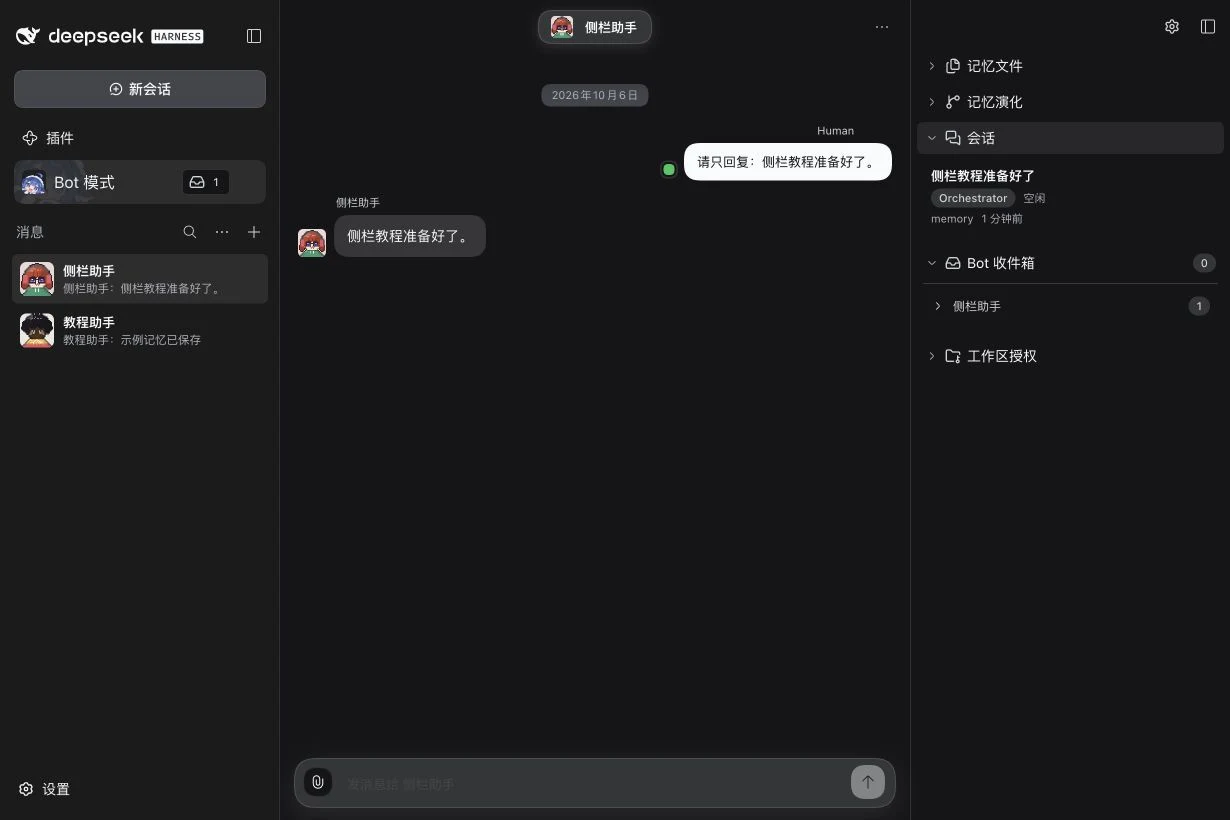
| Information | Meaning |
|---|---|
| Orchestrator | The Bot’s dialogue and coordination Session. |
| Assignment | A task execution Session owned by this Bot; its working directory and permissions belong to that task. |
| Running / Stopping / Stopped | Execution or stop lifecycle state. |
| Idle | The native Session exists and is not currently running; it is not proof that the overall task is complete. |
| Needs attention | An Assignment has reported an error state; open it to inspect the cause. |
| Session unavailable | The native Session is absent from the current catalog; the row cannot be opened. |
| Full-access marker, when present | That Assignment’s stored permission choice; review its actual Session before drawing conclusions about another task. |
Select the scope and layout
Use the sidebar’s gear menu:
- Sessions · Session view → Current keeps the latest Orchestrator, running/stopping work, attention states and certain unresolved working Sessions. It can hide finished historical Assignments.
- Sessions · Session view → All includes historical owned Sessions; it still does not list unrelated Bots’ Sessions.
- Sessions · Layout → Flat gives one list with working-directory labels.
- Sessions · Layout → By workspace groups by working directory. Expand a group to see its rows; a group count is a Session count.
These settings change the list presentation. They do not move a Session, grant a folder, stop an Agent or change a model. If a task seems missing, try All and check that you opened the intended Bot.
For choosing future Bot/task models, use API and Bot models; for file access, use Workspace Grants. Sidebar overview.