
Docs
Memory evolution
Inspect working changes, Git history, branch requests and recovery checkpoints.
Open Bot DM → Channel sidebar → Memory evolution. This entry separates the repository’s current uncommitted changes from its Git history. Reading a diff does not apply it or revert a file.
Inspect a change
- Expand Memory evolution.
- In Current Memory, expand a change group and click a file to open its Uncommitted diff in the center.
- In Commit history, click a commit row to open its changed files and Commit diff.
- Click Back to chat when finished. Use Load more commits to inspect older history.
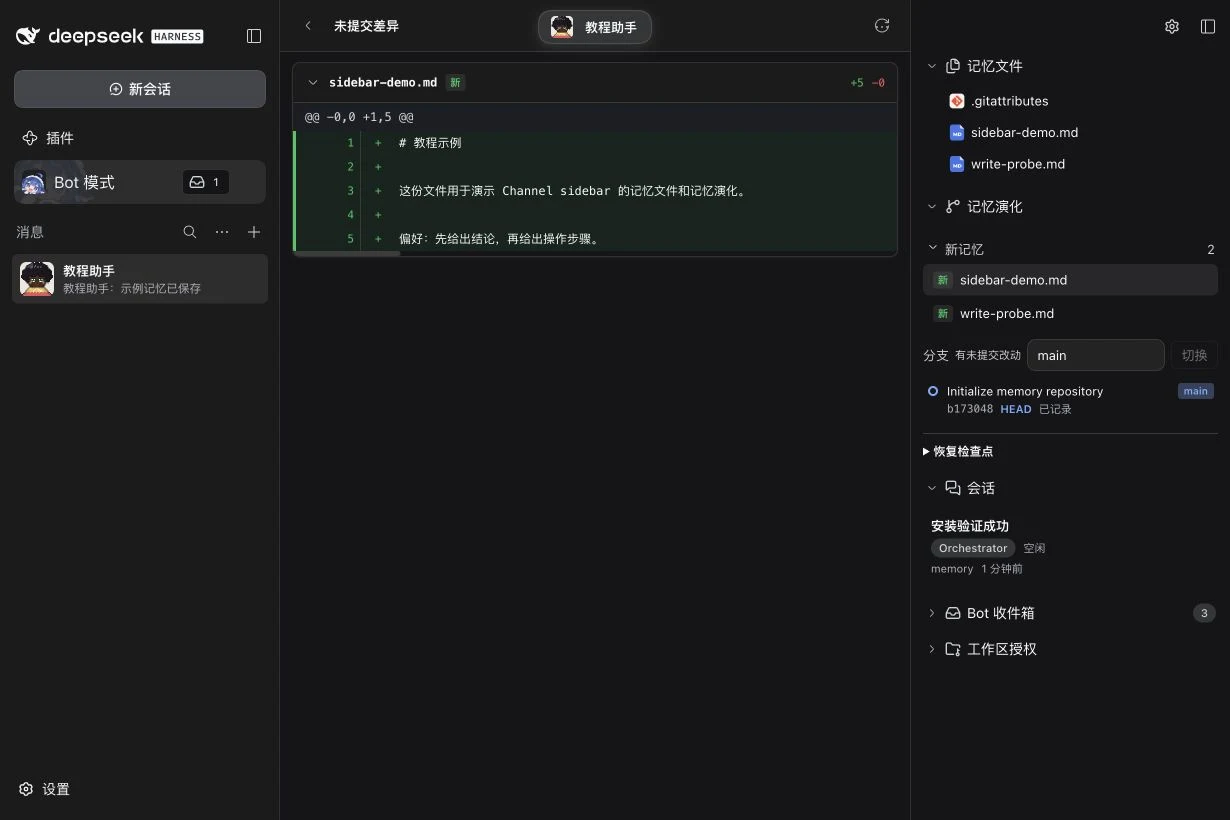
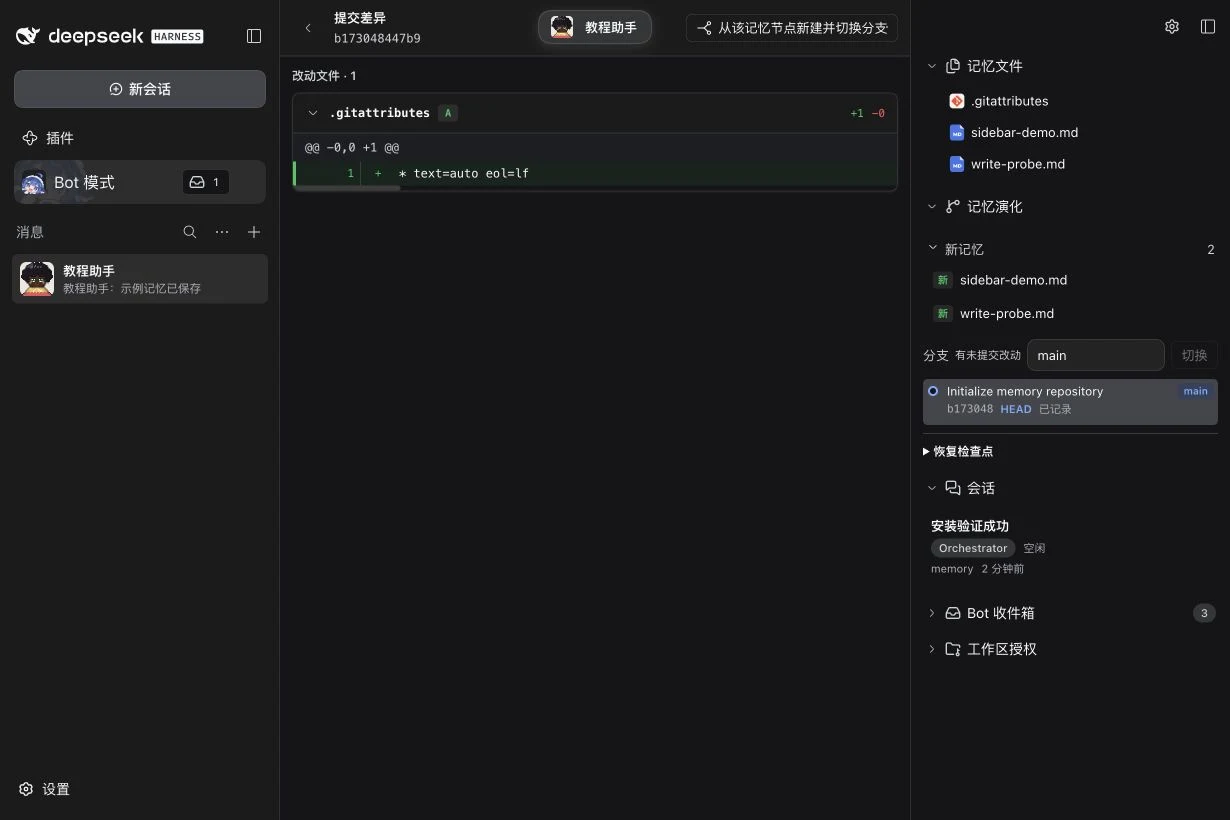
| Control or label | Meaning |
|---|---|
| New Memory / Updates to existing Memory | A friendlier grouping of uncommitted working-tree changes. |
| Unstaged / Staged / Untracked | The corresponding Git grouping when the display terminology is Git. |
| HEAD and branch labels | The checked-out commit and references in the Git graph. |
| Recorded / Git commit / Needs repair | BotHarness checkpoint annotations on Git history; they do not establish who authored the files or approve their content. |
Change the terminology through Channel sidebar display settings → Memory evolution · Display terminology. This changes labels and grouping, not repository contents.
Request a branch switch
Select an existing branch in Search branches, then click Switch. The interface sends a request to this Bot’s Orchestrator; selecting an item alone does not check out a branch. Wait for the Bot’s result and verify the displayed branch and current files. If Git refuses because of unfinished changes, keep the changes and inspect the Bot’s report.
From a commit diff, Create and switch branch from this memory opens a new-branch name field. Create and switch also sends a Bot request; it creates a branch from that commit rather than undoing later commits on the original branch. Confirm the operation and resulting files after the Bot completes it.
Recovery checkpoints
Recovery checkpoints preserve an observed branch, HEAD, index and working tree. Their source says when BotHarness observed or acted on the repository, not who wrote its Git files.
Choose a checkpoint only when you intend to restore that state, inspect the branch/commit in the confirmation, then use Back up and restore. Restoration backs up the pre-restore repository and shows the backup location. It changes current Memory, so ordinary reading and branch requests are separate procedures. A Repair Memory state has its own confirmation and backup procedure.
The screenshots demonstrate reading the real repository and commit diff. They do not demonstrate a recovery or claim that the example repository needed repair.
Related: Memory files, Display and layout, sidebar overview.